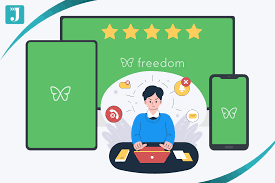
The Freedom app is a website and app blocker designed to help users regain focus by preventing access to distracting online content during scheduled sessions. It allows customization of blocklists and scheduling to support productivity and digital well-being.
What is the Freedom App?
Freedom is a digital tool. It helps you block websites and apps. You can choose what to block.
Then, you set a timer. During that time, those things are blocked. This is so you can focus on your work.
Or maybe you want to read a book. Freedom helps you stay away from digital noise. It works on your computer and phone.
Think of it like a digital moat. You build it around your work. It keeps out the tempting online stuff.
This lets you concentrate better. It’s built for people who struggle with staying on task. Many find it hard to resist checking social media.
Others get lost in news sites. Freedom acts as your personal digital assistant. It enforces your focus goals.
The app works by creating a temporary barrier. This barrier is digital. It stops you from opening certain sites or apps.
You can’t just click away from the block. It’s designed to be quite firm. This helps break bad habits.
It encourages you to stick to your plan. You decide when the blocking starts and stops.
My Own Freedom App Experience
I remember one particularly brutal Monday morning. I had a huge report due by noon. The pressure was on.
I sat down at my desk, coffee steaming beside me. My plan was simple: write, write, write. But then it started.
First, my email icon pulsed. “Just a quick check,” I thought. That led to a news article.
That article linked to a social media post. Suddenly, an hour had vanished. Panic started to set in.
I felt that familiar frustration bubble up. I knew I needed a stronger hand to guide me. That’s when I decided to give Freedom a serious try.
I set up a session for four hours. I blocked my usual time-sinks: news sites, social media platforms, and a few online shopping sites. The first time the block kicked in, it felt abrupt.
I tried to click on a news site, and bam. Nothing. Just a blank screen telling me Freedom was on duty.
My first instinct was annoyance. But then I remembered the report. I turned back to my writing.
The absence of easy distractions was powerful. I found myself getting into a rhythm. Words flowed more easily.
I actually finished the report with time to spare. That feeling of accomplishment was amazing. It taught me that sometimes, external control is exactly what we need for internal freedom.
It wasn’t about being punished; it was about being empowered.
Freedom App Key Features Breakdown
Website & App Blocking: Core function. Block specific sites and applications.
Scheduled Sessions: Set timers for blocking periods.
Cross-Device Sync: Block on your computer, phone, and tablet.
Blocklist Customization: Create lists for different needs (work, study, relaxation).
Locked Mode: Prevents you from ending a session early.
Recurring Sessions: Schedule daily or weekly blocking times.
How Does Freedom Actually Work?
Freedom operates on a simple yet effective principle. It modifies your device’s network settings. When a Freedom session starts, it tells your computer or phone.
It says, “These specific web addresses are off-limits.” It does this for both websites and apps. Your device then obeys these instructions.
For websites, Freedom typically works by altering your computer’s “hosts” file. This file tells your computer where to find websites. If Freedom puts an entry in there, it redirects the website request.
Instead of going to the real website, it goes nowhere. Or it goes to a page saying Freedom is active. Apps are blocked through similar system-level controls.
The magic is in the scheduling. You don’t have to remember to turn it on. You set it up once.
Then, at your chosen times, it just happens. This removes the decision fatigue. You don’t have to ask yourself, “Should I block distractions now?” The app does it for you.
This consistency is key to building better habits.
A core part of its design is being hard to bypass. This is intentional. Many users try to simply close the blocking app.
Or they try to edit the blocklist mid-session. Freedom has features like “Locked Mode.” This makes it very difficult to stop a session once it’s started. You have to see it through.
This enforced period is where the real change happens.
Understanding Blocklists
What are they? Lists of websites and apps you want to block.
Why use them? To tailor your focus sessions.
Examples:
- Work Blocklist: Social media, news, shopping.
- Study Blocklist: Social media, games, entertainment sites.
- Digital Detox Blocklist: All non-essential apps and sites.
Tip: Start with a few key distractions. Add more as needed.
Real-World Scenarios Where Freedom Shines
Freedom isn’t just for writers or students. Its usefulness spans many aspects of modern life. Think about someone working from home.
They might need to focus on tasks without the lure of household chores. Or perhaps the temptation to check on family is too strong. Freedom can create a dedicated work environment.
Consider the student preparing for major exams. The internet is a vast library but also a huge distraction. Social media notifications can derail hours of study.
Freedom helps create dedicated study blocks. It ensures that study time is truly for studying. This can lead to better grades and less stress.
For creatives, like artists or musicians, inspiration can strike anytime. But so can distraction. A painter might find themselves scrolling through art inspiration on social media.
They might get stuck in a loop. Freedom can help them stay focused on their actual creation process. It frees up mental energy.
Even for those simply wanting more quiet time, Freedom is useful. Maybe you want to read a book for an hour each evening. Or you want to spend quality time with your family without phone interruptions.
Scheduling Freedom sessions can support these goals. It carves out protected time for what matters most.
Freedom vs. Other Focus Tools
Freedom: Comprehensive blocking across devices, strong scheduling.
Website Blockers (Browser Extensions): Simpler, usually browser-only. Easier to bypass.
App Timers (Phone OS): Built-in, good for app limits but not full website blocking.
Forest App: Gamified focus timer. Plants a virtual tree. Less about strict blocking.
Freedom’s strength: Its robust, multi-device blocking and scheduling.
What Freedom Means for Your Productivity
When you use Freedom consistently, it changes your relationship with your devices. You start to see them as tools again. Instead of being controlled by them, you control when and how you use them.
This has a big impact on productivity.
First, it reduces context switching. Constantly jumping between tasks or tabs drains mental energy. By blocking distractions, you allow yourself to stay in a deep work state.
This means you get more done in less time. Your work quality often improves too.
Second, it builds discipline. The more you stick to your scheduled focus sessions, the stronger your self-control becomes. Over time, you might find yourself less tempted by distractions even outside of Freedom sessions.
It’s like training a muscle.
Third, it frees up mental space. When you’re not constantly fighting urges to check your phone, your mind is calmer. This can lead to more creativity and better problem-solving.
You have more energy for the actual tasks at hand.
Finally, it helps you achieve goals. Whether it’s finishing a project, learning a new skill, or just having more free time, Freedom provides the structure. It helps you make consistent progress toward what you want to achieve.
Quick Scan: Freedom App Costs
Free Trial: Yes, usually a 5-session trial.
Monthly Plan: Around $6.99/month (billed annually or monthly).
Annual Plan: Around $3.33/month (billed annually).
Lifetime Plan: A one-time purchase, often around $149.
Note: Prices can change. Check their website for current details.
Is Freedom Right for Everyone?
Freedom is a powerful tool, but it’s not a magic bullet. It works best for people who are willing to use it actively. If you’re looking for a way to completely automate your focus without any effort, it might not be for you.
It’s also important to consider your specific needs. If your distractions are very minor, a simpler tool might suffice. For example, if you only get distracted by one website occasionally, a browser extension might be enough.
Freedom is for more pervasive digital distractions.
Another factor is cost. While there are different plans, it’s a paid service. Some people might prefer free alternatives if their budget is tight.
However, the effectiveness and cross-device capability often justify the cost for many users.
Also, consider your work style. Some people thrive with absolute freedom and can self-regulate easily. Others benefit greatly from external structure.
Freedom is for those who need that structure. It helps them build better habits through enforced focus.
Tips for Maximizing Freedom App Use
Start Small: Block only your biggest distractions first.
Schedule Wisely: Align sessions with your peak work times.
Use Locked Mode: For critical focus periods, enable this feature.
Create Specific Lists: Have different blocklists for different tasks.
Be Consistent: Regular use builds the best habits.
When is Freedom Not Enough?
Sometimes, the problems causing distraction are deeper. Freedom can block the symptoms, but not always the root cause. For example, if someone is experiencing burnout, they might use Freedom to try and work more.
But their lack of productivity might stem from exhaustion.
Procrastination can also have emotional roots. If you’re avoiding a task because it’s difficult or unpleasant, simply blocking other sites won’t make the task itself easier. You might find yourself looking for ways around Freedom or feeling even more stressed.
Furthermore, for some people, the issue isn’t just access to websites, but the quality of their focus. They might be able to stay off social media but still feel mentally scattered. This requires different strategies, like mindfulness or cognitive training.
Finally, if a person is dealing with a genuine addiction to the internet or specific online activities, Freedom is a helpful tool but not a cure. Professional help might be necessary in such cases. Freedom can support recovery, but it doesn’t replace therapy or support groups.
Contrast Matrix: Freedom vs. Self-Control
Freedom App:
- Pros: Enforces breaks, removes temptation, consistent.
- Cons: Requires setup, has a cost, can feel restrictive initially.
Pure Self-Control:
- Pros: Free, flexible, builds internal discipline.
- Cons: Difficult to maintain, prone to lapses, requires high willpower.
Best Approach: Use Freedom to build self-control.
Common Questions About the Freedom App
Can I use Freedom on my phone and computer at the same time?
Yes, Freedom offers cross-device synchronization. You can install it on your Mac, Windows PC, iPhone, iPad, and Android devices. Your scheduled sessions and blocklists sync across all your logged-in devices. This ensures a consistent focus environment wherever you are.
Is Freedom difficult to set up?
The initial setup is generally straightforward. You download the app, create an account, and then begin creating your blocklists and scheduling sessions. The interface is designed to be user-friendly. Most users find they can get started within minutes.
What happens if I need to access a blocked site urgently?
If you haven’t enabled ‘Locked Mode’, you can usually end a session early. However, this defeats the purpose of the app. It’s best to plan your sessions carefully. For emergencies, you might need to reboot your device or temporarily disable Freedom, but try to avoid this for regular use.
Does Freedom block all internet access?
No, Freedom only blocks the specific websites and apps you add to your blocklists. Your internet connection remains active for approved sites and services. You can create broad blocklists or very specific ones based on your needs.
Is there a free version of Freedom?
Freedom offers a free trial, typically allowing you 5 blocking sessions. After the trial, you need to subscribe to a paid plan to continue using the service. This allows users to test its effectiveness before committing.
How does Freedom compare to iPhone’s Screen Time or Android’s Digital Wellbeing?
While built-in tools like Screen Time and Digital Wellbeing offer app limits and downtime features, Freedom is generally more robust. Freedom allows for more complex scheduling, cross-device blocking (which native tools often don’t fully integrate), and has stronger features to prevent bypassing blocks, like Locked Mode.
Conclusion
The Freedom app offers a powerful solution for anyone battling digital distractions. It provides structure and removes temptation, helping you reclaim your focus and time. By setting up scheduled blocking sessions, you can create dedicated periods for deep work, study, or simply being present.
While not a replacement for self-discipline, it’s an excellent tool to build it.